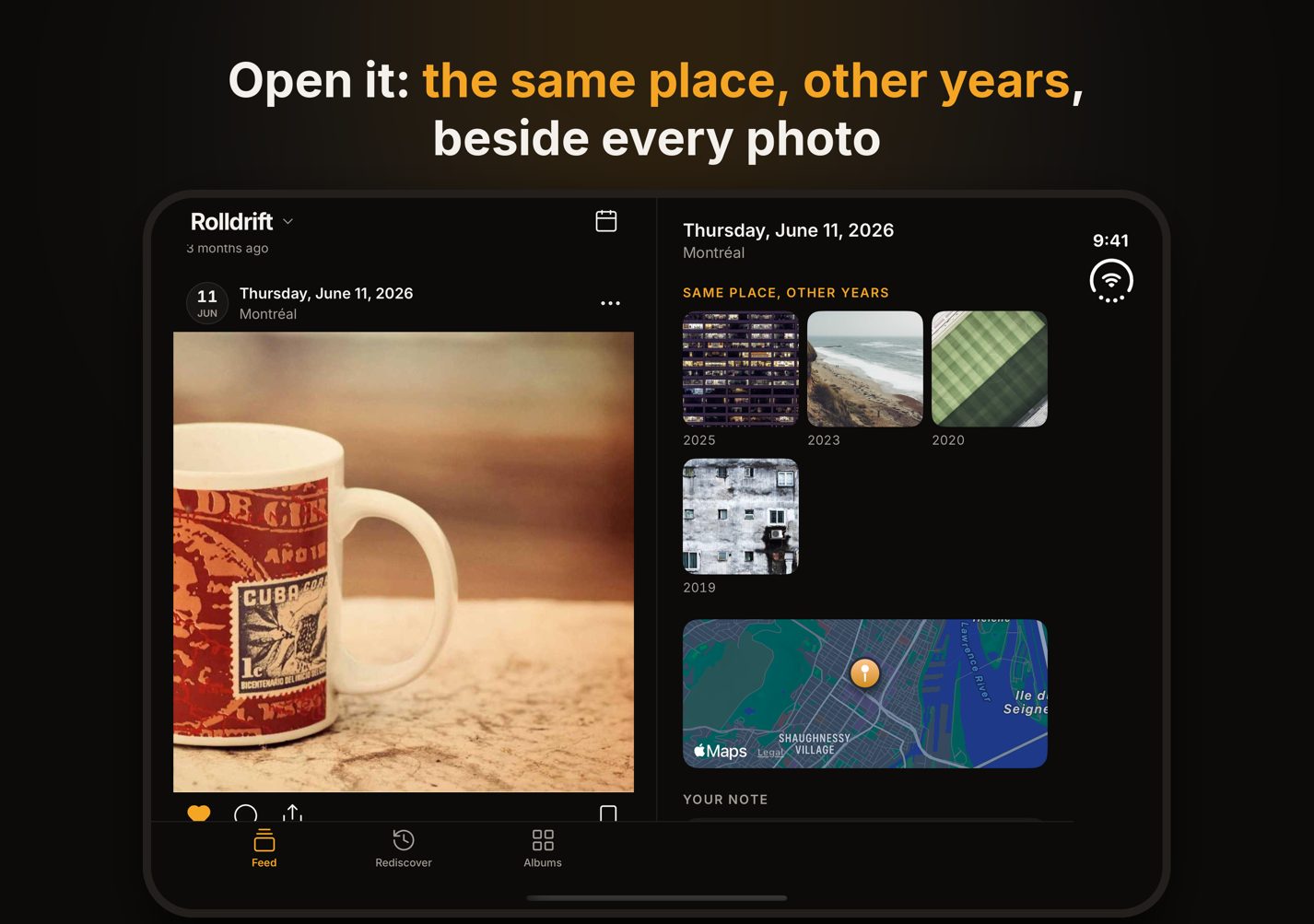
What does Rolldrift show when I open iPhone Duo?
Turned on its side, the feed keeps to the half left of the fold and the other half follows the photo you are looking at: its date and place, a photo from the same place in each earlier year (or from the same day, for a photo without a location), a small map, and your note, which you can write right there. Nothing sits across the fold, and nothing moves when you half-close it.
And held upright, or folded?
Open and upright, the feed is one column as wide as lets a portrait photo show whole between the bars. Folded, it fits the outer screen beside the status column, like any iPhone.
Do I lose my place when I unfold it?
No. Open it in the middle of the feed and the same post is still in front of you on the big screen.
Is the side pane part of Rolldrift Pro?
No, it comes with the free app, like the feed itself, hearts, notes and albums. Rolldrift Pro, a single purchase, adds Rediscover: every year of today as its own feed, and Shuffle.

Does it upload my photos?
No. Rolldrift reads your library on the device the way Photos does, with no account and no server, and the App Store privacy label reads "Data Not Collected". The small map comes from Apple Maps, and turning off "Show place names" in Settings turns it off too.